My Works

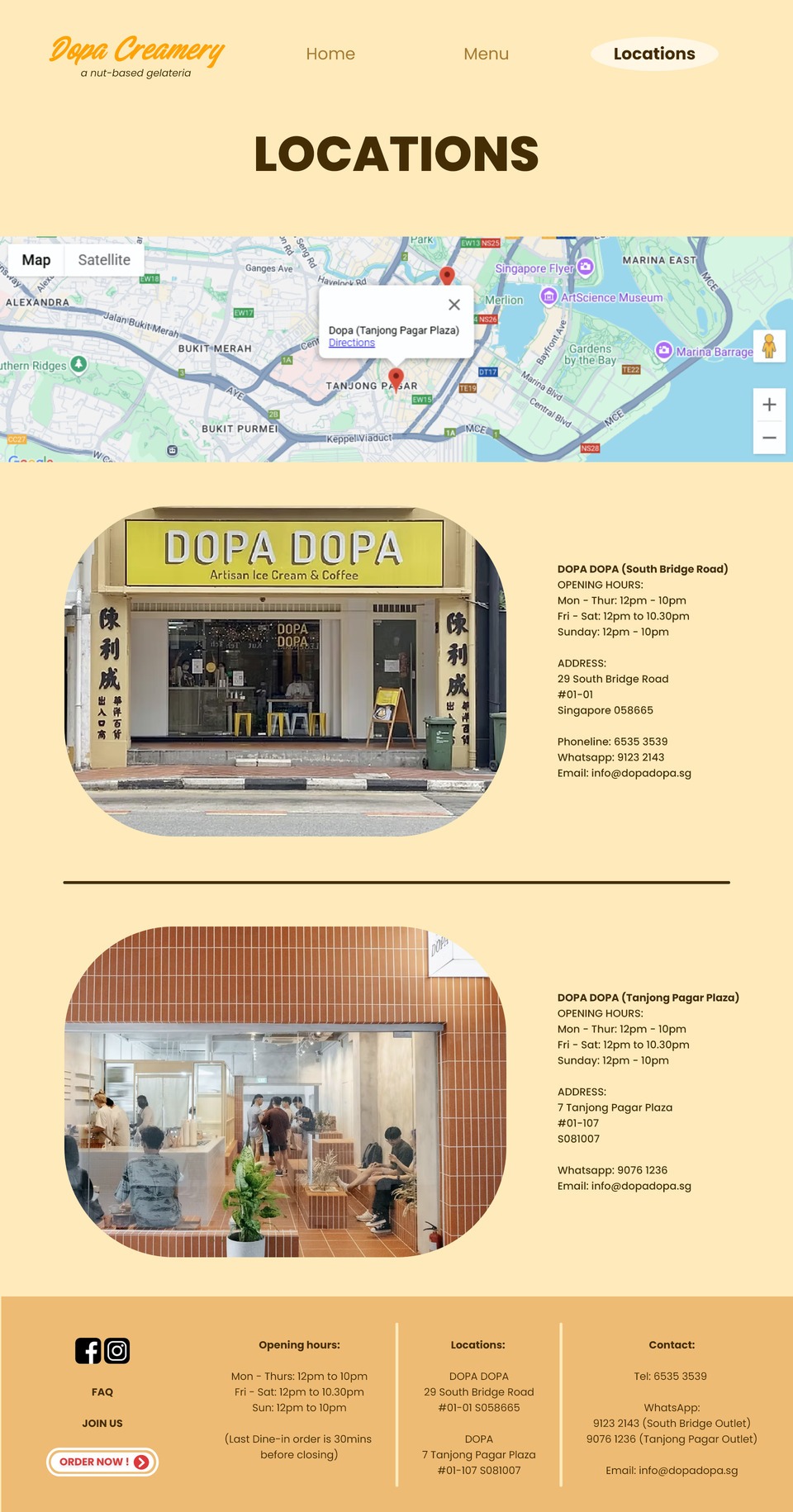
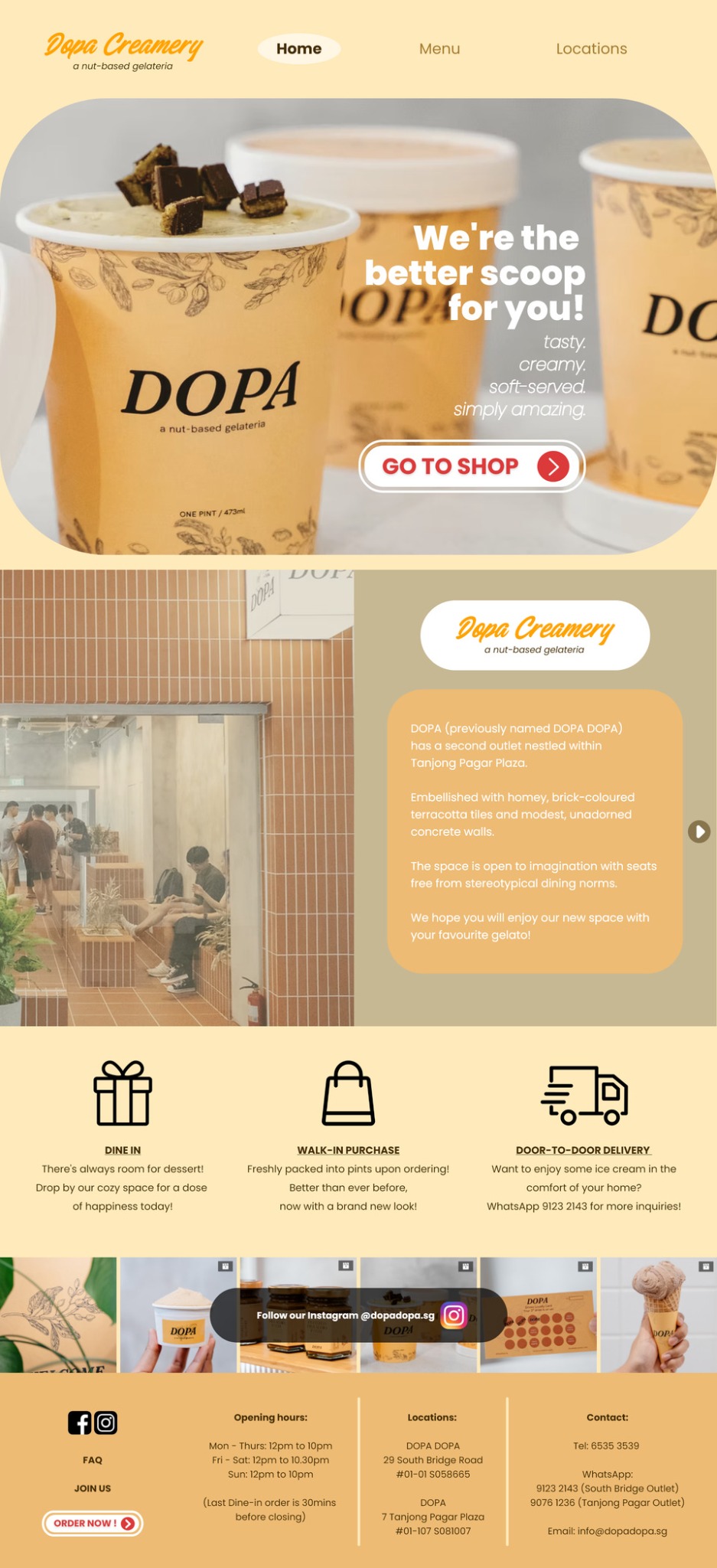
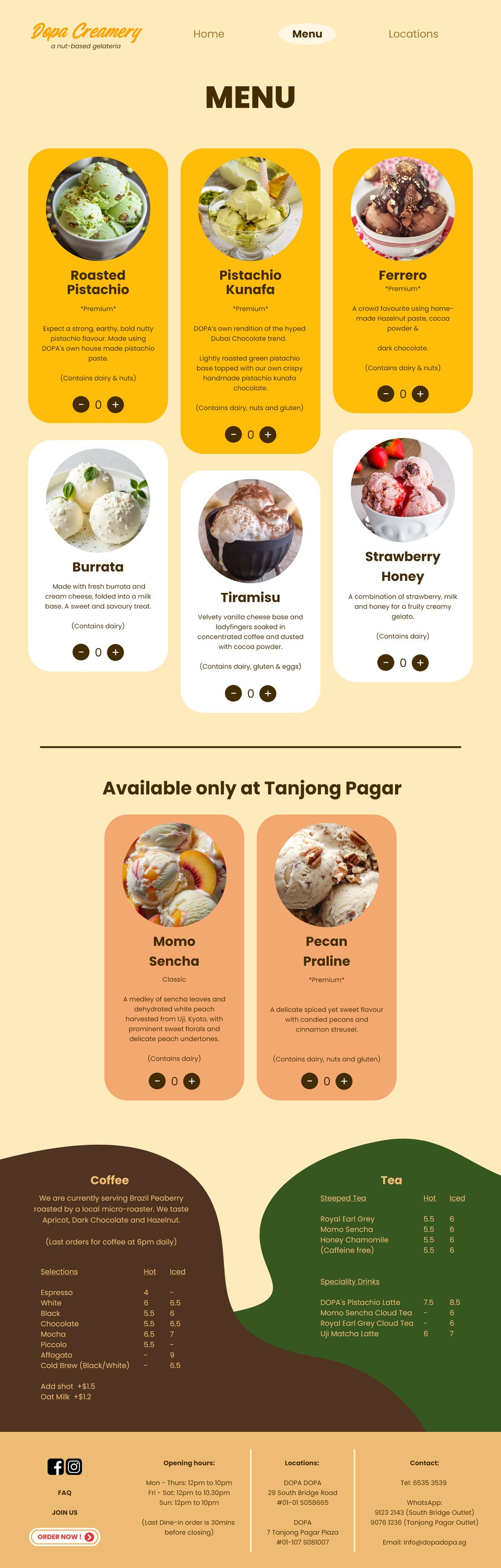
Dopa Creamery Website Revamp

UI/UX & Web Redesign | Adobe XD & Adobe Photoshop

  • Concept: Modernized Dopa Creamery’s website for clearer menu browsing and faster outlet discovery.
  • Process: Retouched and color-corrected visuals in Adobe Photoshop, then built a grid-based UI for the Home, Menu, and Locations pages in Adobe XD with refined typography, spacing, and navigation.
  • Tools & Skills: Adobe XD, Adobe Photoshop, UI/UX layout, visual hierarchy, image retouching.
  • Outcome: A cohesive 3-page revamp (Home, Menu, Locations) with sharper product imagery and intuitive navigation.
  • Reflection: Pairing Photoshop with XD sped up iteration while balancing visuals and readability; next time, I would add mobile breakpoints and an interactive prototype.

BetterBag — Multi-Platform Brand Campaign

UI/UX Wireframing, Seamless Carousel & Promotional Reel | Adobe XD & Adobe Photoshop

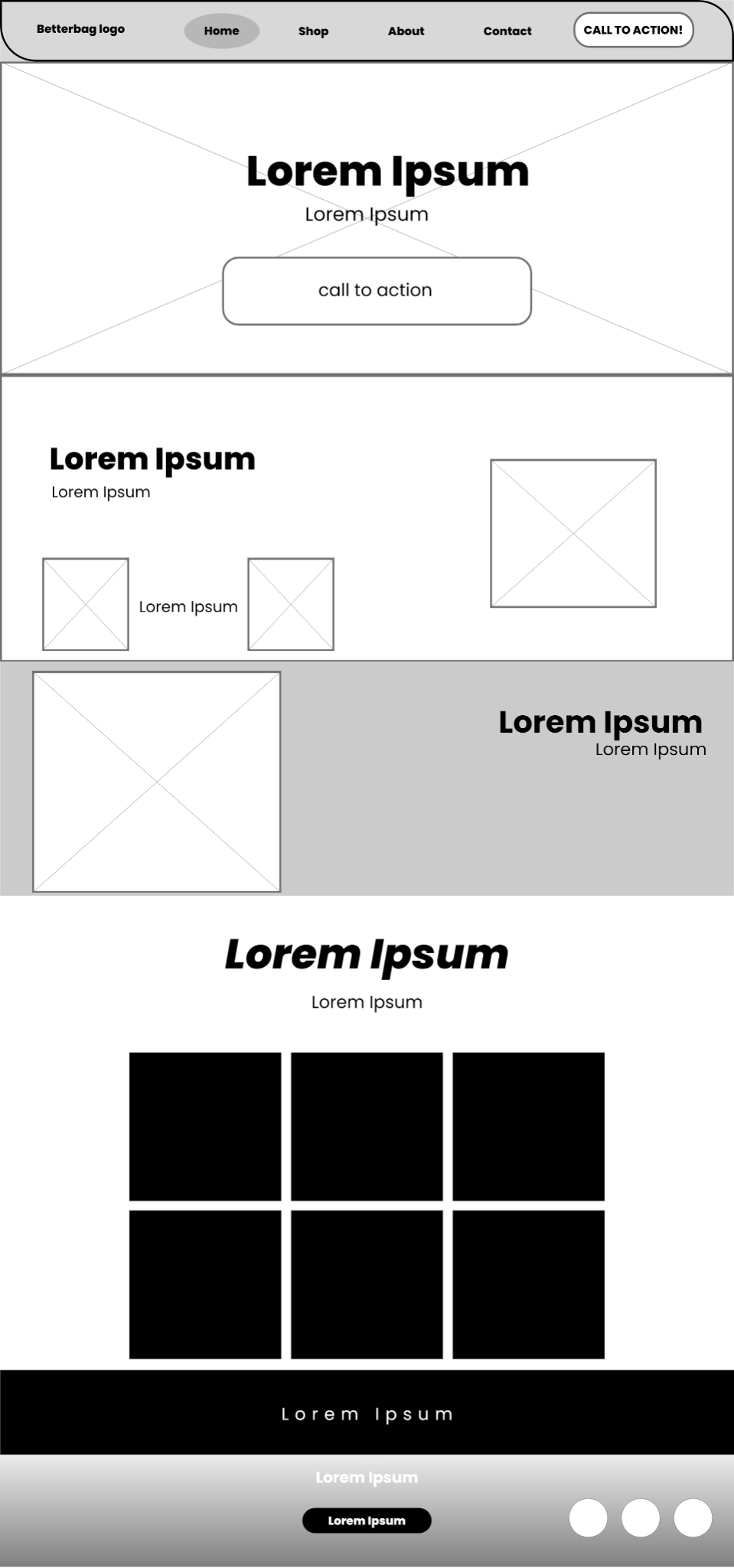
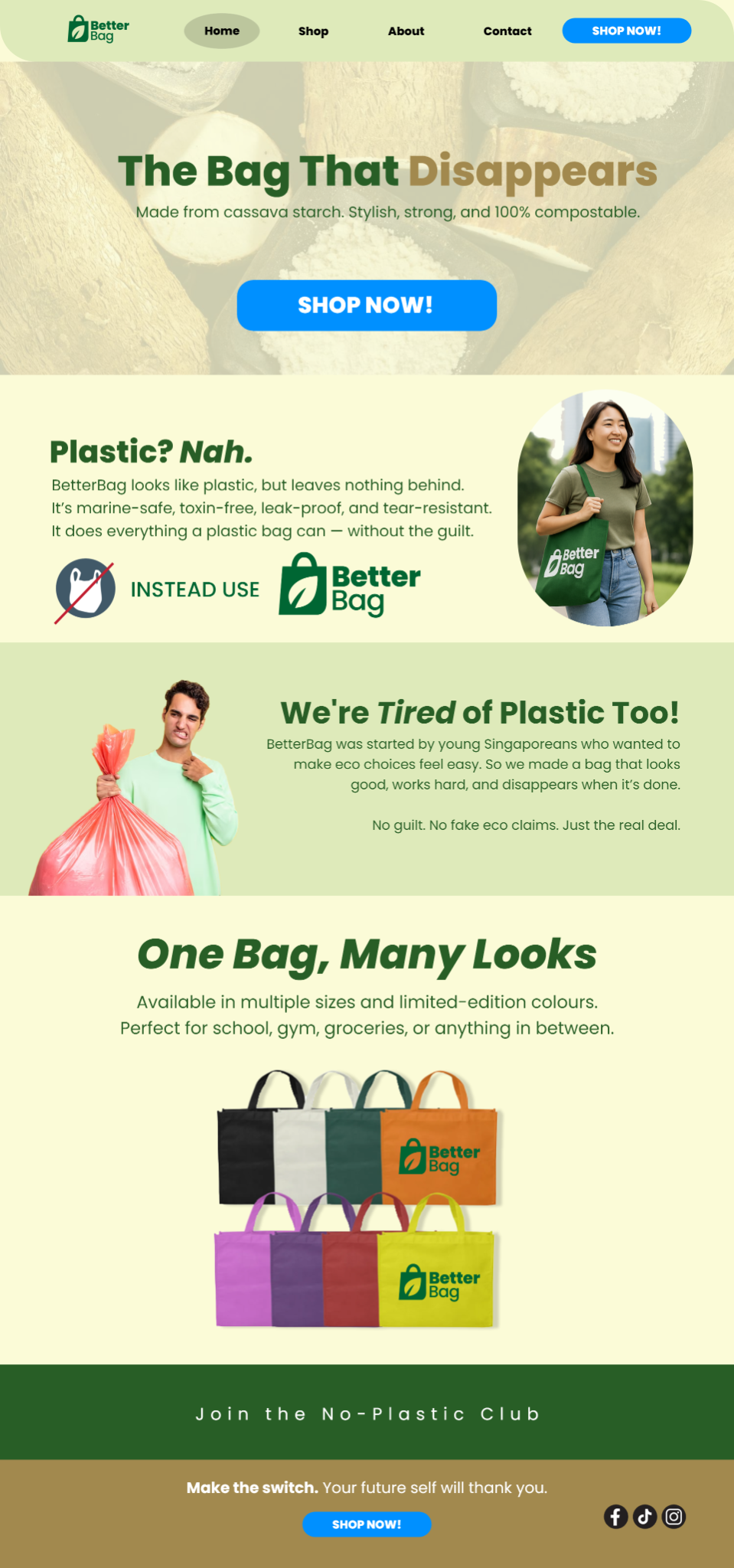
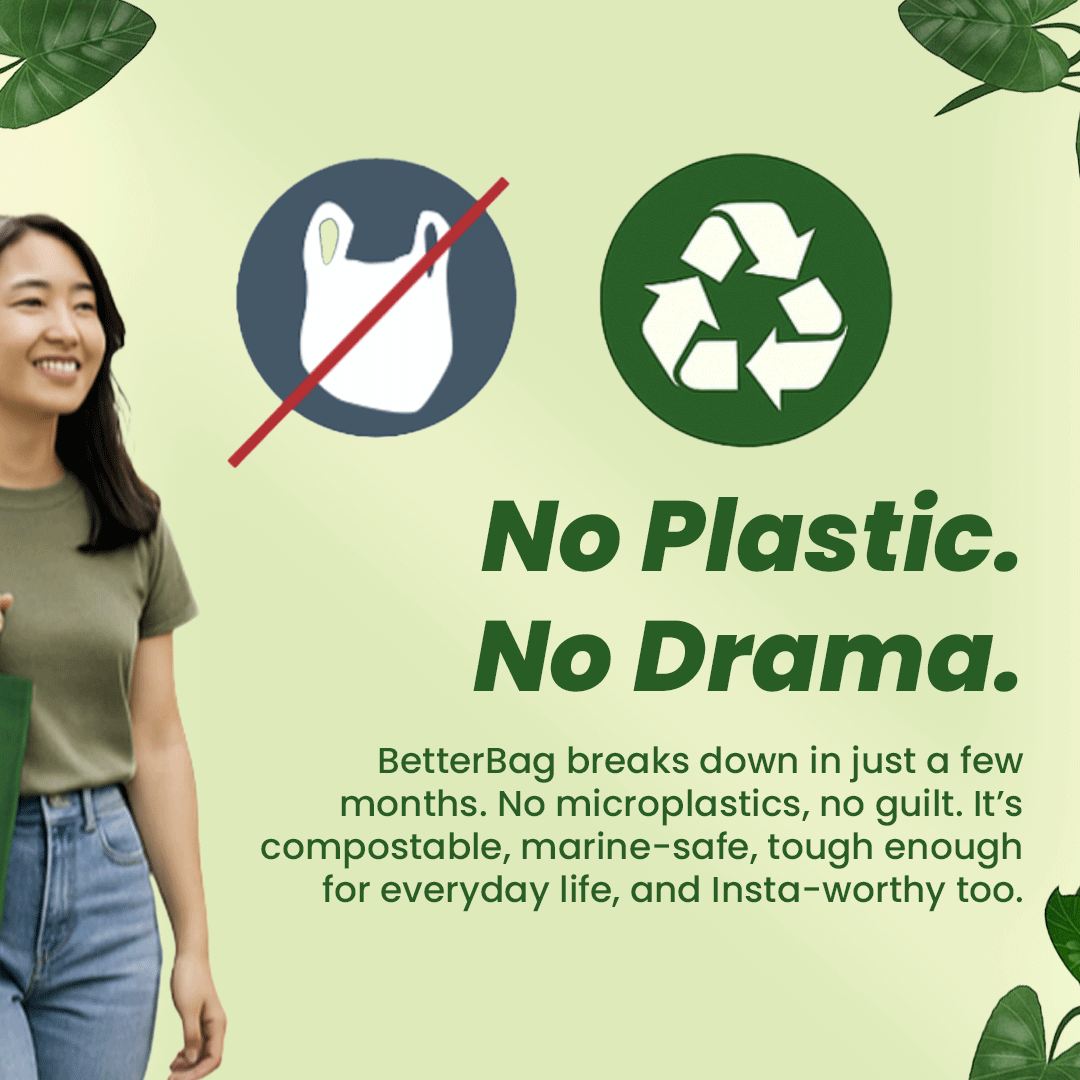
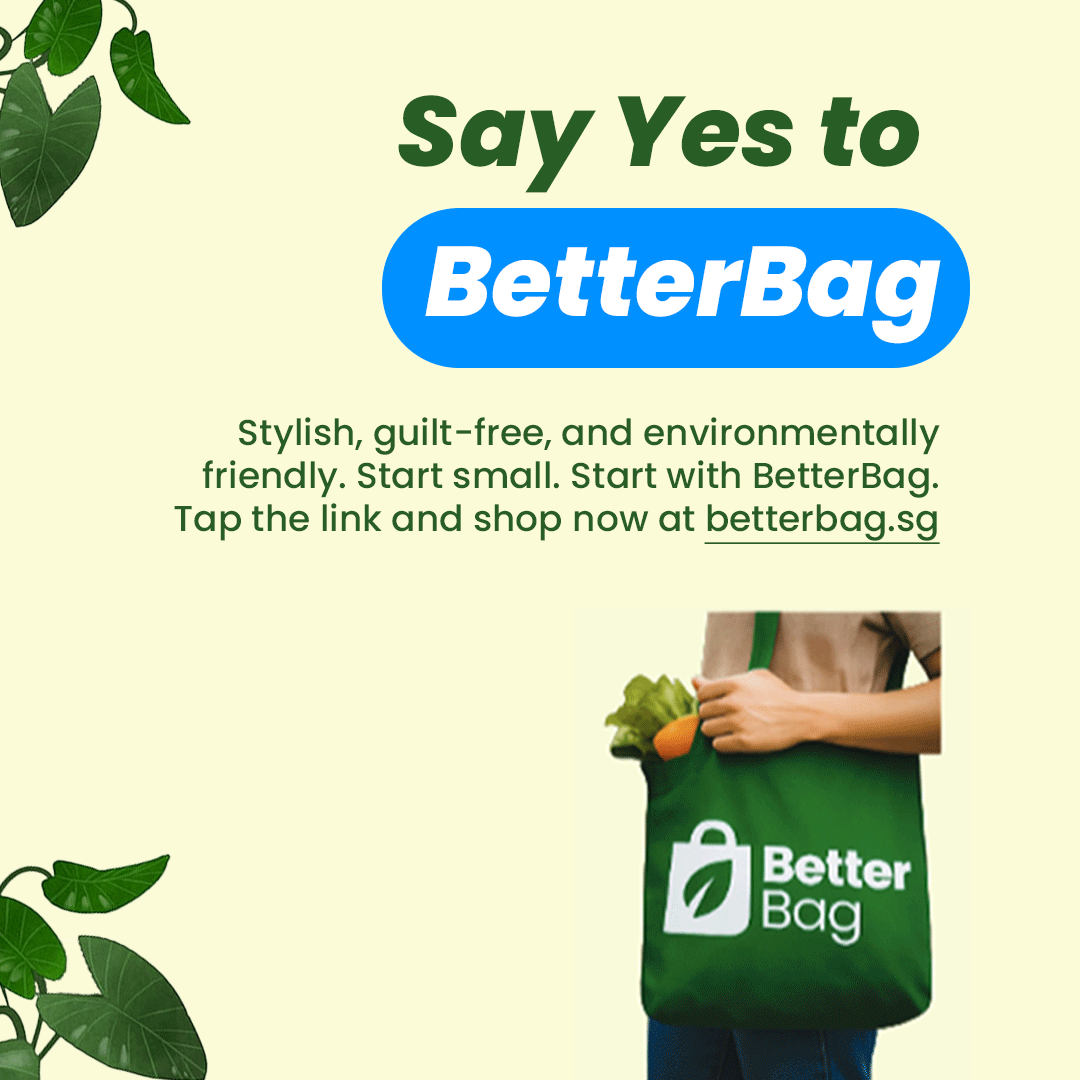
  • Concept: Developed an eco-friendly digital campaign for BetterBag, a compostable cassava-starch bag brand, spanning a landing page, a 3-slide seamless Instagram carousel, and a vertical promotional reel.
  • Process: Mapped the layout in Adobe XD from a grayscale wireframe into a high-fidelity cream-and-green landing page, then built a continuous 3-panel panoramic carousel in Adobe Photoshop (Brand Intro, Sustainability Plug, Call to Action) using masked product and lifestyle cutouts before adapting the visual system into a 9:16 reel.
  • Tools & Skills: Applied Adobe XD and Adobe Photoshop across low-to-high-fidelity wireframing, panoramic artboard compositing, image masking, and cross-platform brand consistency.
  • Outcome: Delivered a unified campaign suite—low-fi wireframe, final landing page, 3-slide seamless carousel, and vertical promotional video—under one cohesive eco-brand identity.
  • Reflection: Wireframing first prevented layout clutter while a single panoramic artboard ensured smooth swipe transitions; next time, I would add interactive XD micro-interactions and test reel pacing on mobile.

Bruno Mars in Singapore — Concert Promo Carousel

Photo Manipulation, Double Exposure & Social Carousel | Adobe Photoshop (No AI)

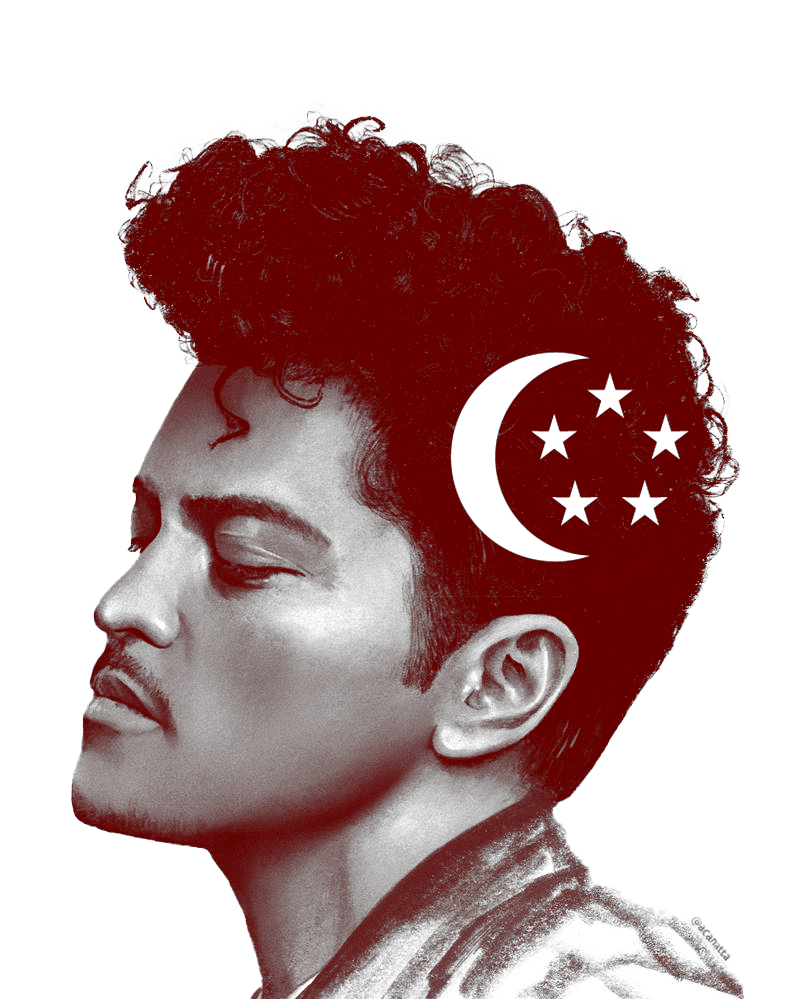
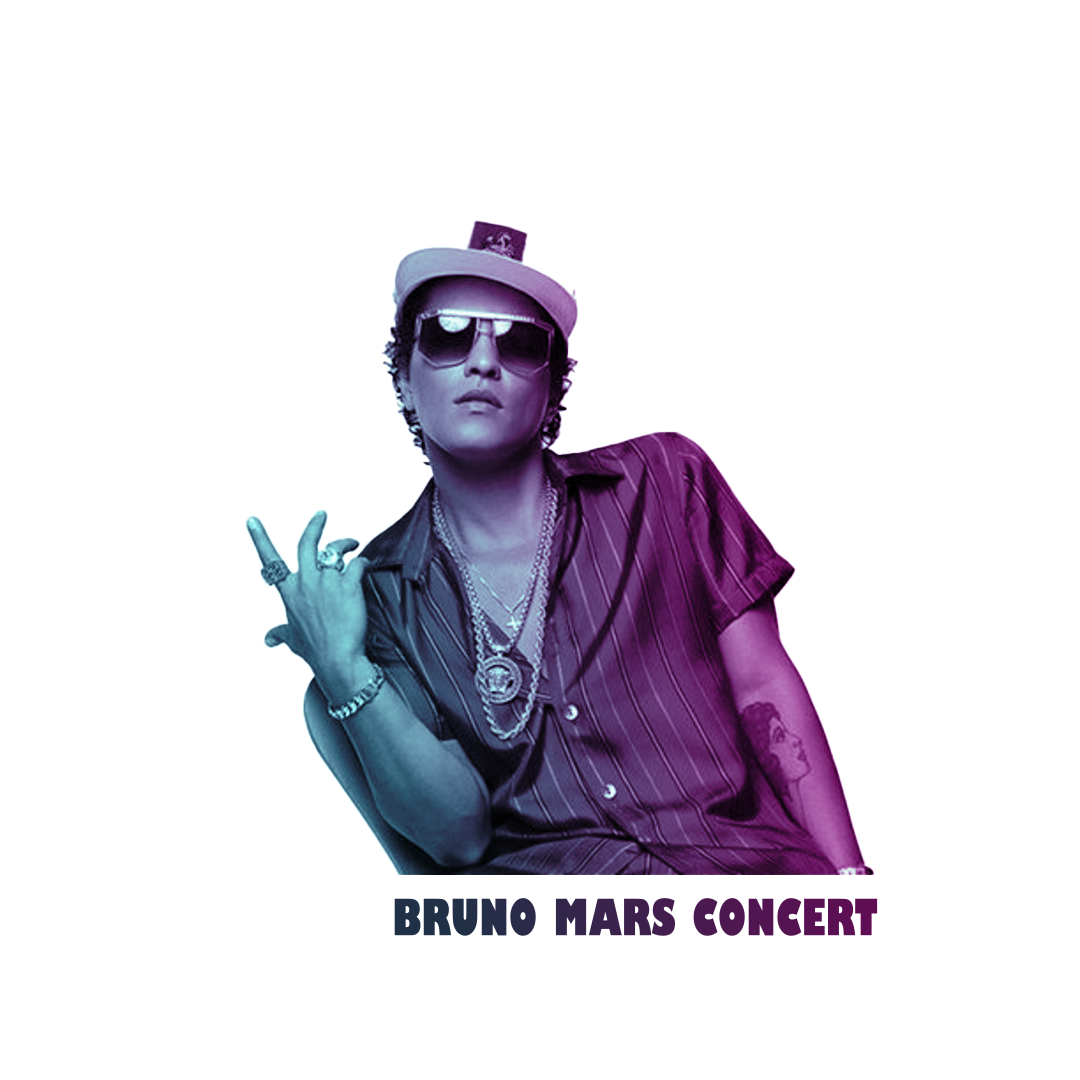
  • Concept: Designed a seamless promotional carousel teasing Bruno Mars’s Singapore concert, progressing across layered performance shots with the text "BRUNO MARS IS IN" before visually revealing the location through a Singapore-themed portrait.
  • Process: Crafted 100% manually in Adobe Photoshop with no AI, I used precise layer masking and cyan-to-magenta double-light color grading for the concert cutout, blended the Singapore crescent and five stars into his hair via a red-and-white double exposure, and unified all panels on a panoramic canvas with consistent color grading.
  • Tools & Skills: Applied Adobe Photoshop exclusively for manual masking, double exposure, dual-lighting effects, blending modes, color grading, and seamless carousel composition.
  • Outcome: Delivered a cohesive multi-panel concert carousel alongside two standalone hero composites—the dual-lit concert cutout and the red-and-white Singapore double-exposure portrait.
  • Reflection: Executing every mask, blend, and color grade manually without AI strengthened my precision with hair edges and lighting balance; next time, I would refine text contrast against the layered concert frames for sharper mobile readability.

#4

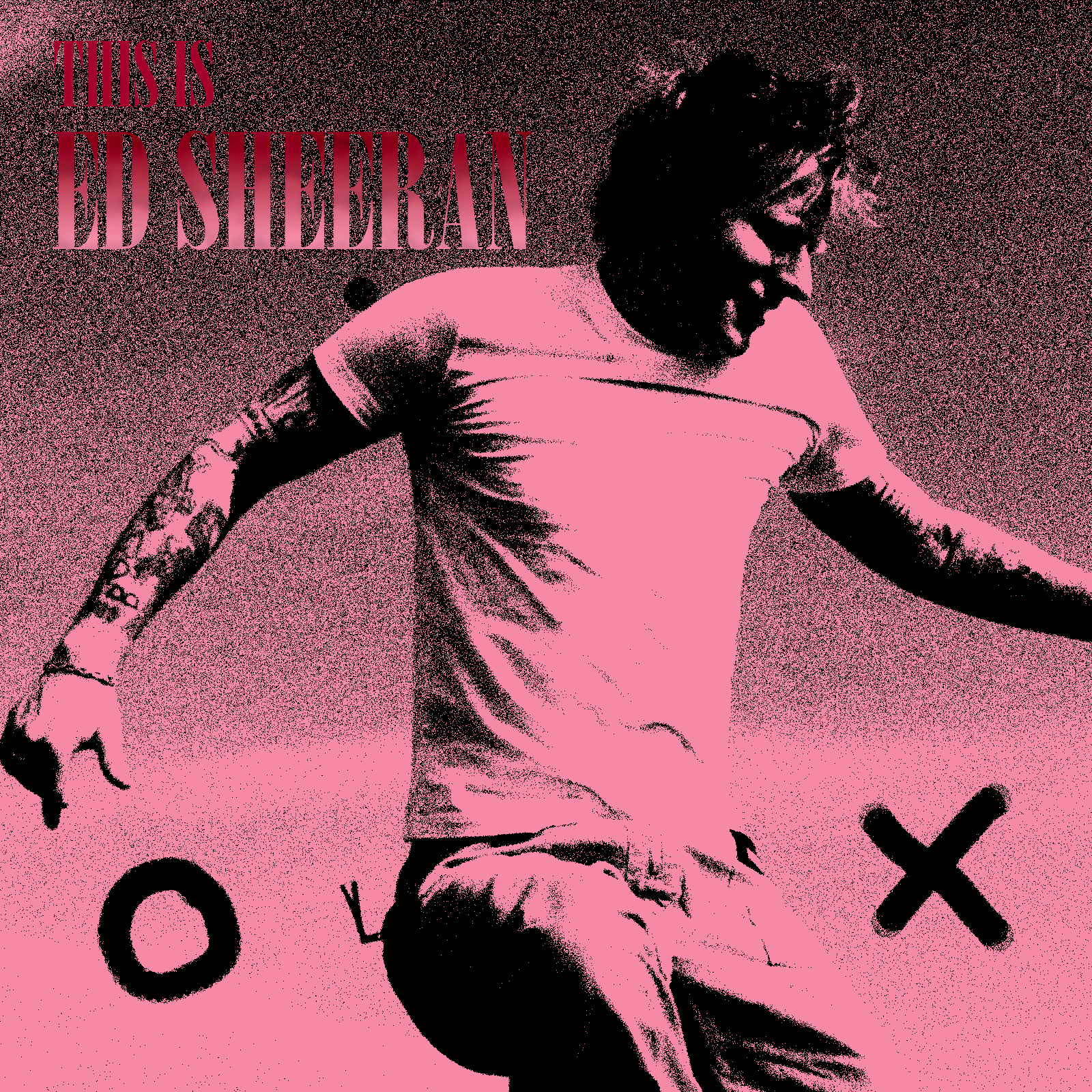
Spotify “This Is” Playlist Covers — Ariana Grande & Ed Sheeran

Album Art & Graphic Compositing | Adobe Photoshop

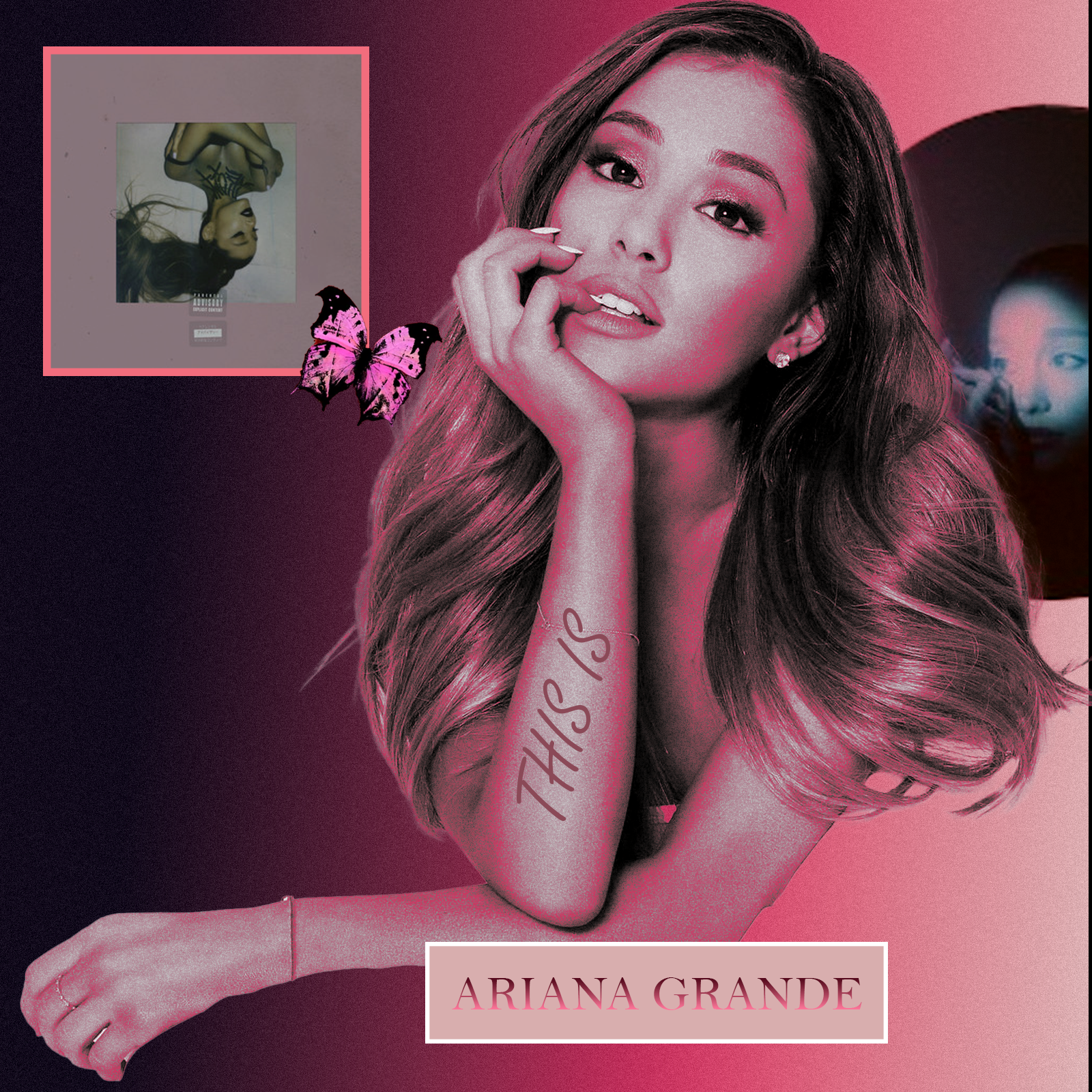
  • Concept: Designed a cohesive pair of square Spotify “This Is” playlist covers for Ariana Grande and Ed Sheeran, sticking to a bold, pink-driven Spotify album fill aesthetic built to stand out on streaming feeds.
  • Process: For Ariana Grande, I isolated the portrait with detailed hair masking, applied a rose-to-plum gradient and matching color tint, composited a framed album thumbnail, masked butterfly, and faded circular background portrait, blended "THIS IS" onto her arm, and added film grain; for Ed Sheeran, I pushed the photo through high-contrast Threshold and heavy stippled grain filtering into a pink-and-black duotone treatment paired with gradient-filled condensed serif typography and brushed X/O motifs.
  • Tools & Skills: Applied Adobe Photoshop across precision layer masking, Gradient Maps, Threshold and Noise/Grain filters, blending modes, typography styling, and 1:1 album-cover composition.
  • Outcome: Delivered two distinct yet visually unified Spotify-style artist covers that balance textured, editorial flair with instant artist recognition.
  • Reflection: Experimenting with heavy grain and contrasting, pink-toned treatments taught me how texture and color harmony can tie together two completely different visual styles; next time, I would boost the contrast on Ed Sheeran’s top-left title against the grainy backdrop for sharper readability at thumbnail size.

#5

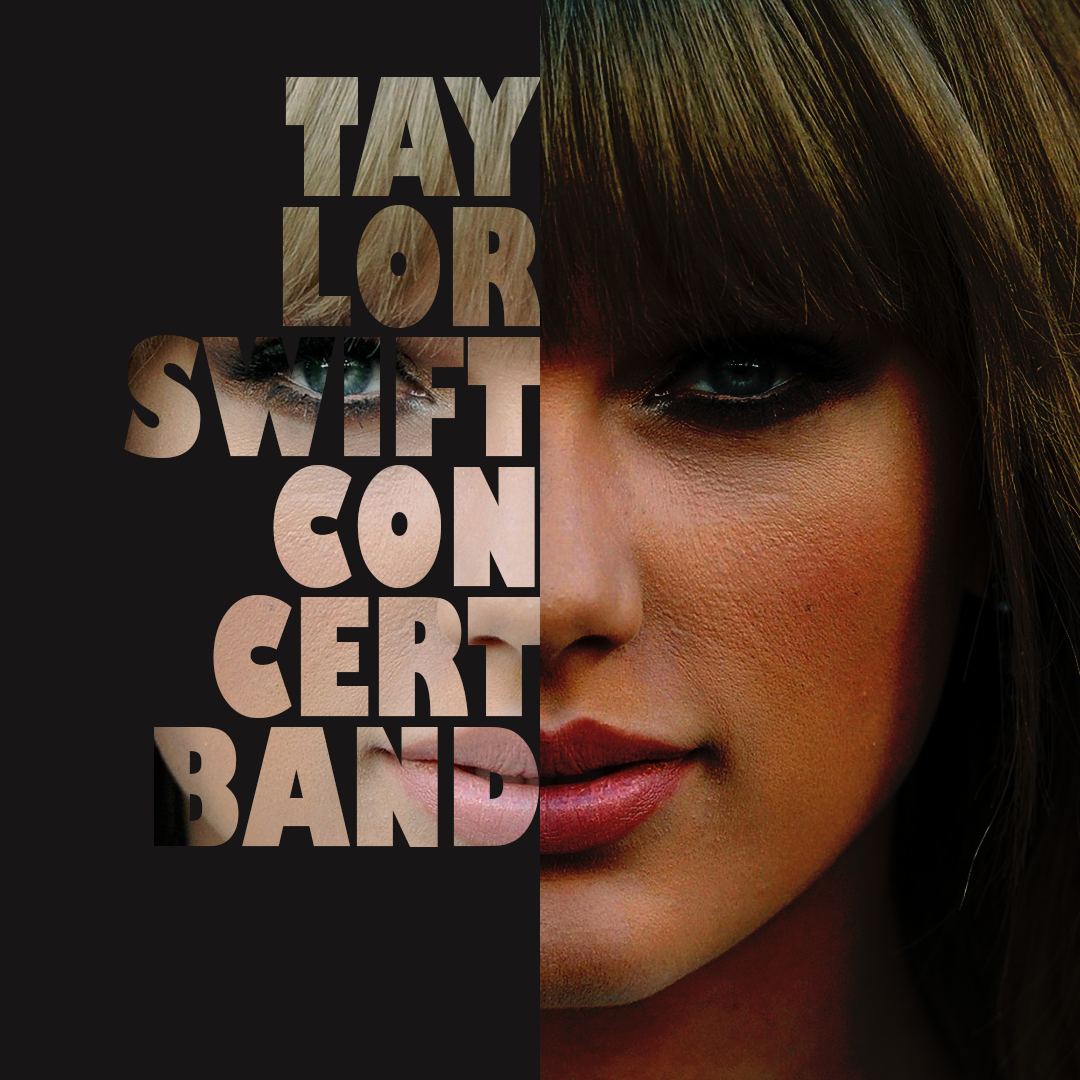
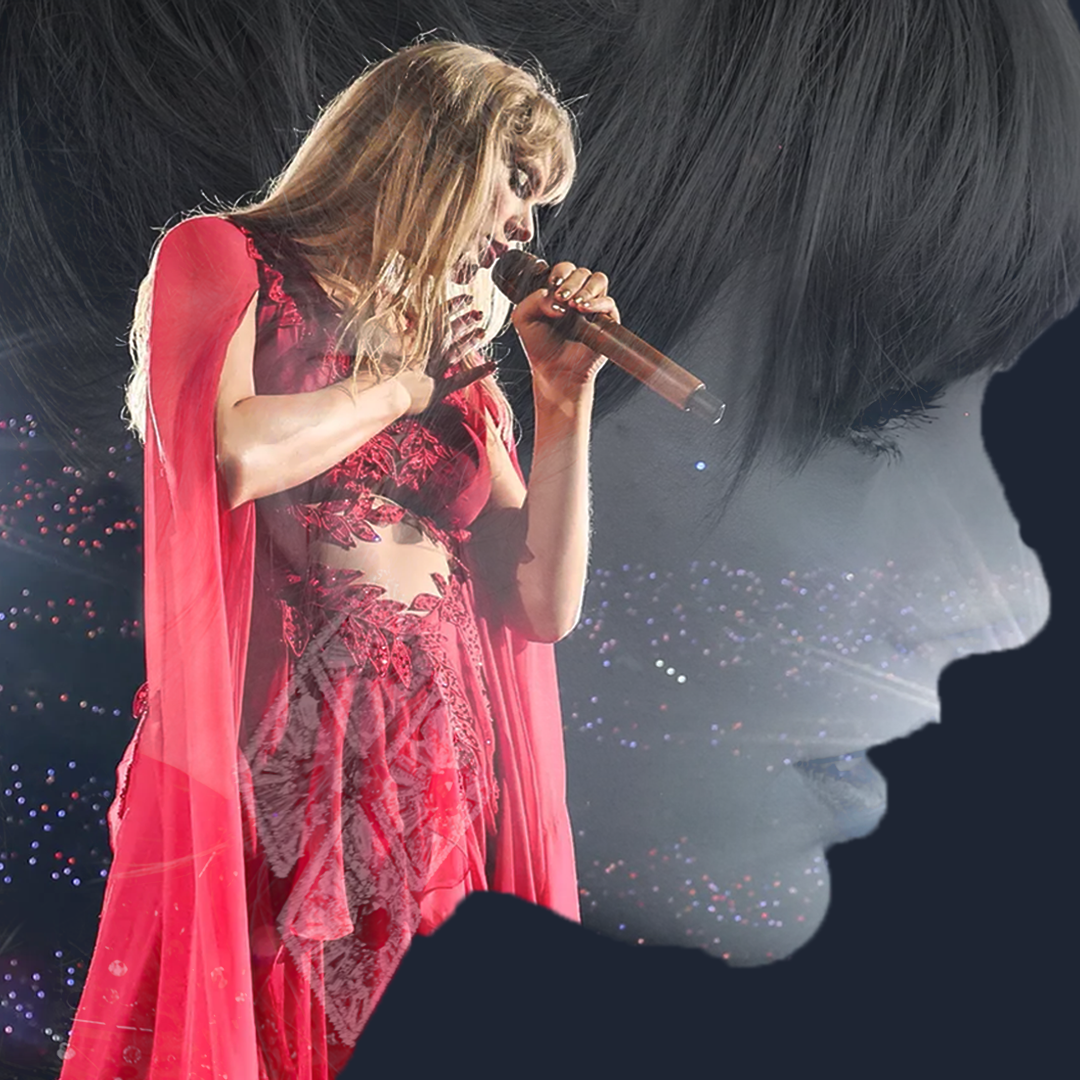
Taylor Swift — Double Exposure & Typographic Masking Study

Photo Manipulation & Editorial Typography | Adobe Photoshop

  • Concept: Explored two contrasting Photoshop double-exposure techniques for Taylor Swift—pairing an atmospheric concert-and-profile blend (Technique A) with a bold split-portrait typographic reveal (Technique B).
  • Process: In Technique A, I layered a vibrant live-performance cutout over a desaturated side-profile silhouette, using soft-edged layer masks and Screen blending modes to weave sparkling stage bokeh naturally across the profile; in Technique B, I divided a close-up portrait along the vertical centerline, placed a matte black backdrop on the left, and applied bold stacked "TAYLOR SWIFT CONCERT BAND" text as a clipping mask to reveal the left half of her face seamlessly aligned with the right.
  • Tools & Skills: Utilized Adobe Photoshop for non-destructive layer masking, typographic clipping masks, Screen/Lighten blending modes, color-versus-monochrome contrast, and precision alignment.
  • Outcome: Produced two polished, concert-ready editorial graphics that demonstrate both atmospheric photo blending and structured graphic-design composition.
  • Reflection: Controlling feathered mask transitions in Technique A and exact centerline alignment in Technique B sharpened my precision with Photoshop’s masking tools; next time, I would soften the lower silhouette cutout edge in Technique A for a smoother fade into the dark slate background.

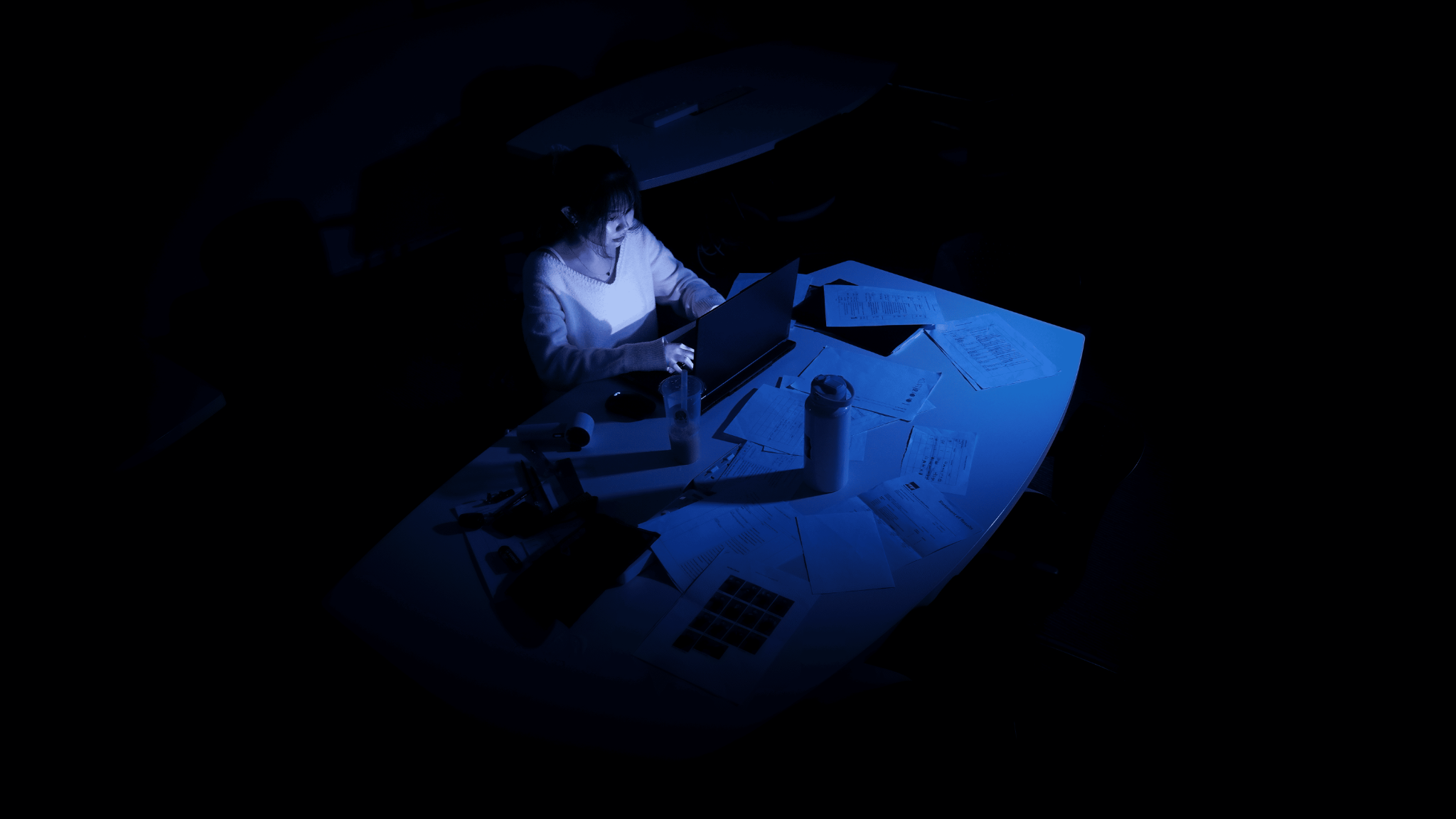
5-Shot Visual Story - The 3:59 AM Deadline 


Narrative Photography & Lighting | Sony A7C & Adobe Lightroom

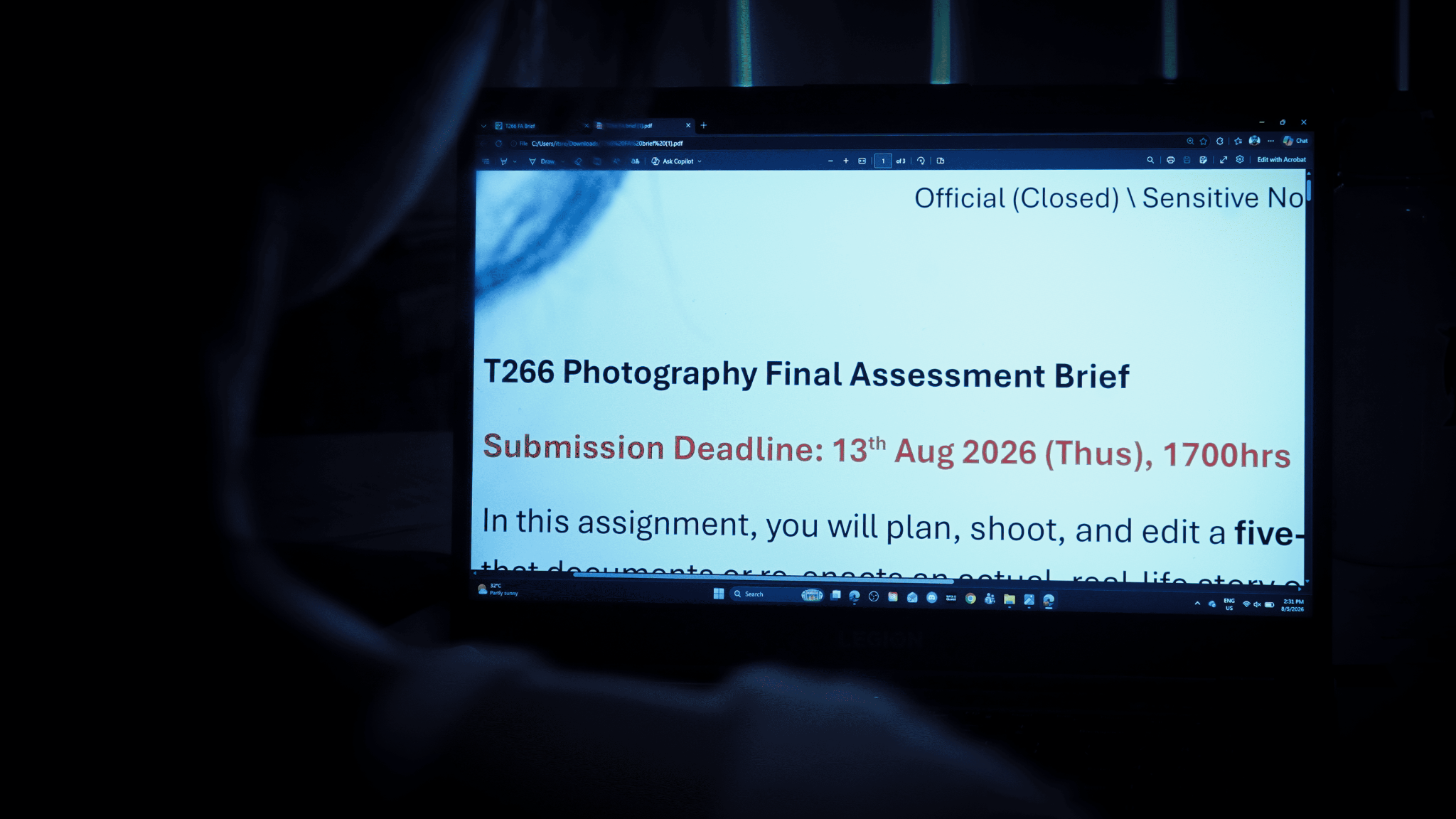
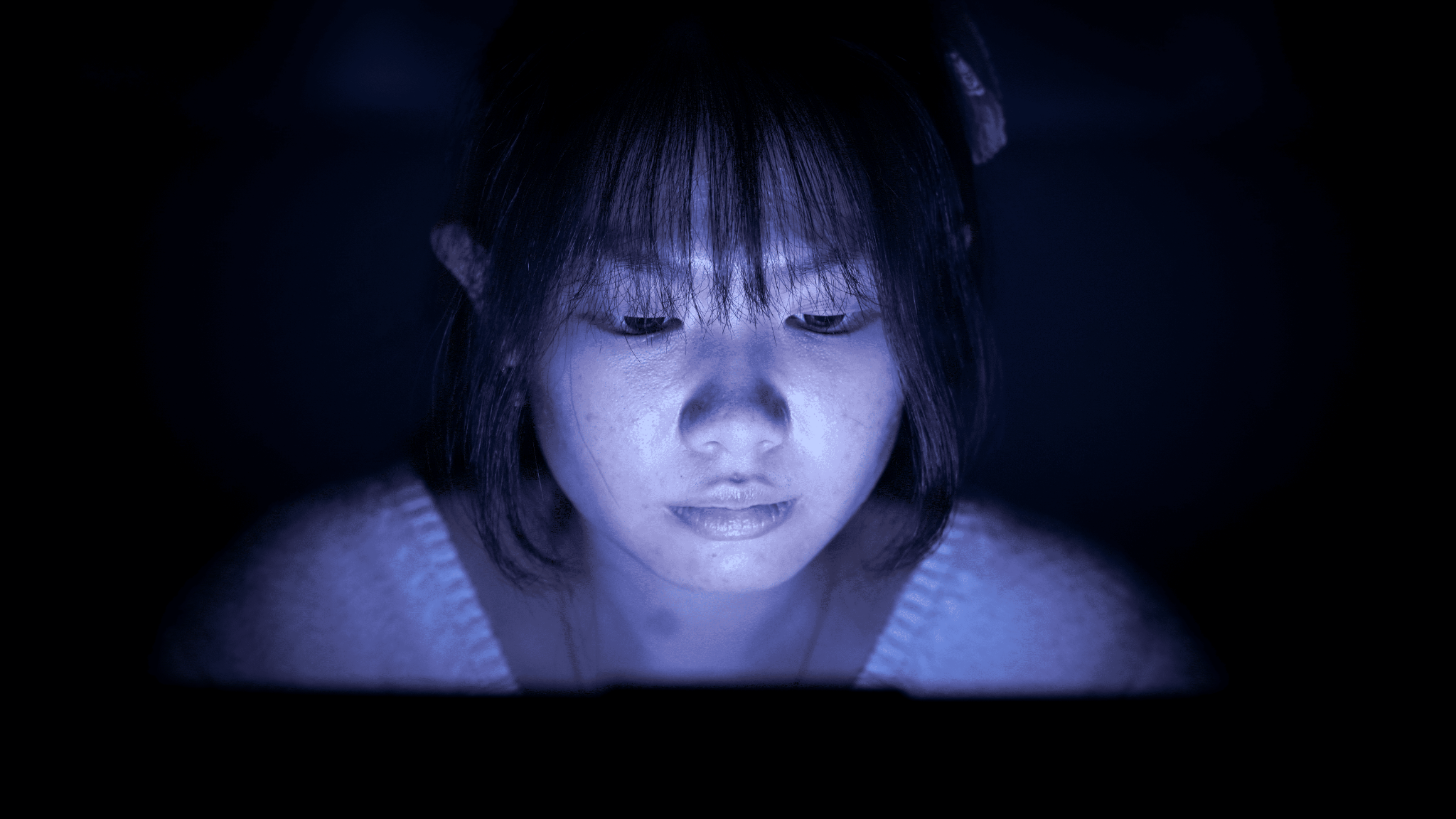
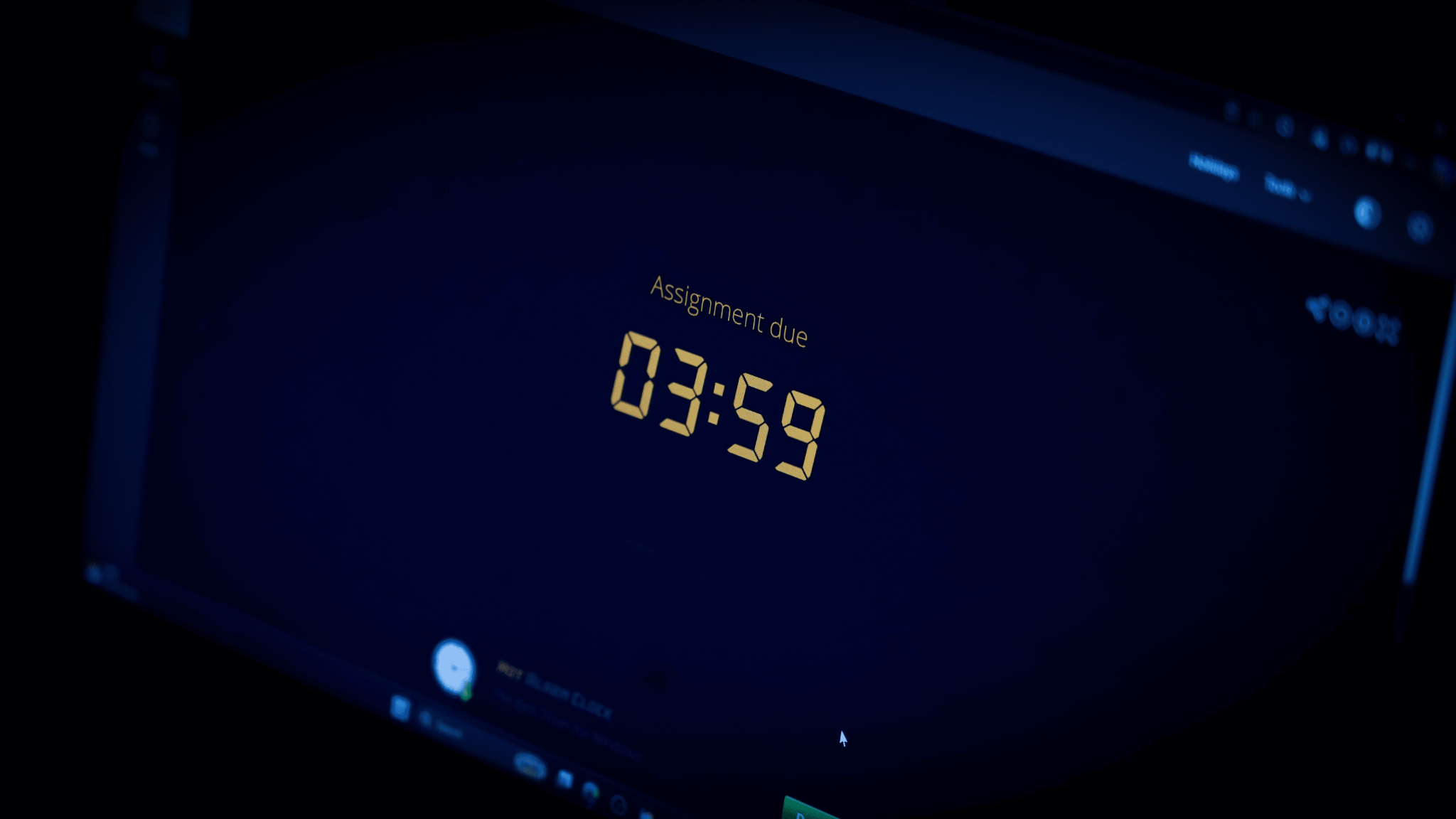
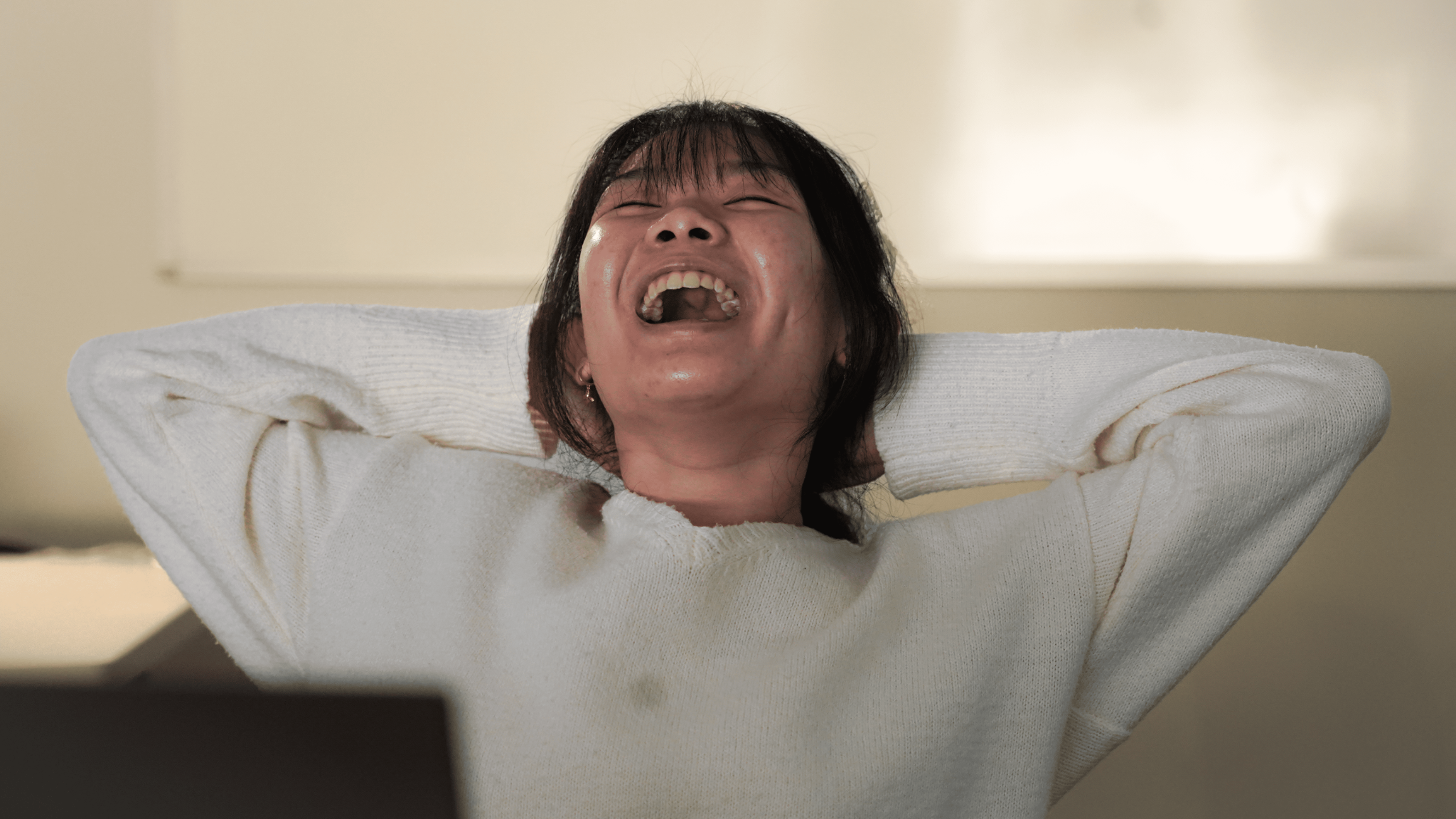
  • Concept: Crafted a 5-shot photo story capturing a student's late-night push to finish the T206 Photography Final Assessment—progressing from a dark high-angle establishing frame and over-the-shoulder brief shot, to a blue-lit facial close-up and 03:59 clock detail, before resolving in bright morning relief.
  • Process: Gained hands-on command of the Sony A7C—mastering its camera features, the exposure triangle (ISO, aperture, shutter speed), and stable tripod setup for both photography and video—while shaping studio lights with diffusers and reflectors to create cool, low-key tension in Shots 1–4 and soft, warm daylight in Shot 5.
  • Tools & Skills: Utilized the Sony A7C, tripod, continuous lights, diffuser, reflector, and Adobe Lightroom for manual exposure control, light modification, visual pacing, and color grading.
  • Outcome: Delivered a cohesive, Lightroom-graded 5-frame sequence that uses deliberate framing and color-temperature contrast to tell a complete story without dialogue.
  • Reflection: Managing low-light noise, shadow falloff, and white balance across drastically different lighting setups strengthened my technical control as a photographer; next time, I would add subtle rim lighting to create deeper subject separation in the darkest frames.

#7

Personal Cinematography — The Recipe We Almost Lost Forever

Social Media Content Creation & Narrative Vlog | Sony A7C & Adobe Premiere Pro

  • Concept: Produced a heartfelt personal vlog centered on preserving a cherished family recipe and everyday moments with my mom and family, blending intimate storytelling at home with familiar heartland surroundings.
  • Process: Filmed on-location using the Sony A7C camera provided by my school across my house, residential area, Woodlands Mart, Giant, and nearby roadsides—adapting framing, audio capture, and exposure to shifting indoor and outdoor lighting—before editing the narrative pacing, B-roll, and subtitles in Adobe Premiere Pro.
  • Tools & Skills: Applied Sony A7C camera operation, run-and-gun videography, B-roll composition, subtitling, and narrative video editing in Adobe Premiere Pro.
  • Outcome: Delivered an engaging, story-driven social media vlog that also served as my official T257 entry for the RP Vlog Competition 2026, sponsored by Cathay Photo and Sony.
  • Reflection: Shooting across busy public spaces and changing lighting conditions with the school's Sony A7C strengthened my on-location adaptability and storytelling instincts; next time, I would better isolate ambient traffic noise near roadsides for even cleaner outdoor dialogue.

#8

A Documentary for Wild Planet

Documentary Editing & Post-Production | Adobe Premiere Pro

  • Concept: Edited a narrative documentary for Wild Planet featuring Bill, shaping raw interview clips and forest footage into a cohesive, engaging story.
  • Process: Crafted a structured story spine in Adobe Premiere Pro to anchor key dialogue moments, then dove into the assembly process—weaving B-roll seamlessly over A-roll while applying J-cuts and L-cuts, audio balancing, and rhythmic pacing to create natural conversational flow.
  • Tools & Skills: Utilized Adobe Premiere Pro for story-spine structuring, assembly editing, A-roll/B-roll integration, J- and L-cut audio transitions, and documentary pacing.
  • Outcome: Delivered a polished, story-driven documentary that sustains viewer interest through smooth visual-audio continuity and clear narrative progression.
  • Reflection: Thoroughly enjoying the assembly edit and mastering J- and L-cuts showed me how much post-production rhythm elevates raw footage; next time, I would layer subtle ambient sound design and clean lower-third titles for extra broadcast polish.

#9

Motion Design — Super Mario Bros Spinoff

2D Motion Graphics & Sound Synchronization | Adobe After Effects

  • Concept: Reimagined the classic Super Mario Bros game through my own creative vision, redesigning its visual experience while preserving the nostalgic 2D side-scrolling aesthetic.
  • Process: Animated every movement from scratch in Adobe After Effects, pushing through tedious multi-layer timelines to master keyframes, Easy Ease In and Easy Ease Out, and timing while locking every visual cue smoothly to sound effects and my go-to royalty-free offline Pixabay music.
  • Tools & Skills: Utilized Adobe After Effects and offline Pixabay audio libraries for 2D character/object animation, keyframe interpolation, motion pacing, layer management, and tight audio-visual sound design.
  • Outcome: Delivered a lively, cleanly synced 2D Super Mario Bros spinoff where animations, transitions, and sound design flow together seamlessly.
  • Reflection: Though the precision keyframing was a struggle at first, overcoming the technical hurdles made this one of my most challenging yet fun projects to complete; next time, I would refine motion curves further in the Graph Editor and add subtle motion blur for even snappier arcade energy.

AI-Generated Short Film — Hami the Hamster

Generative AI Storytelling, Character & Prop Design | Google Gemini & Video Editing
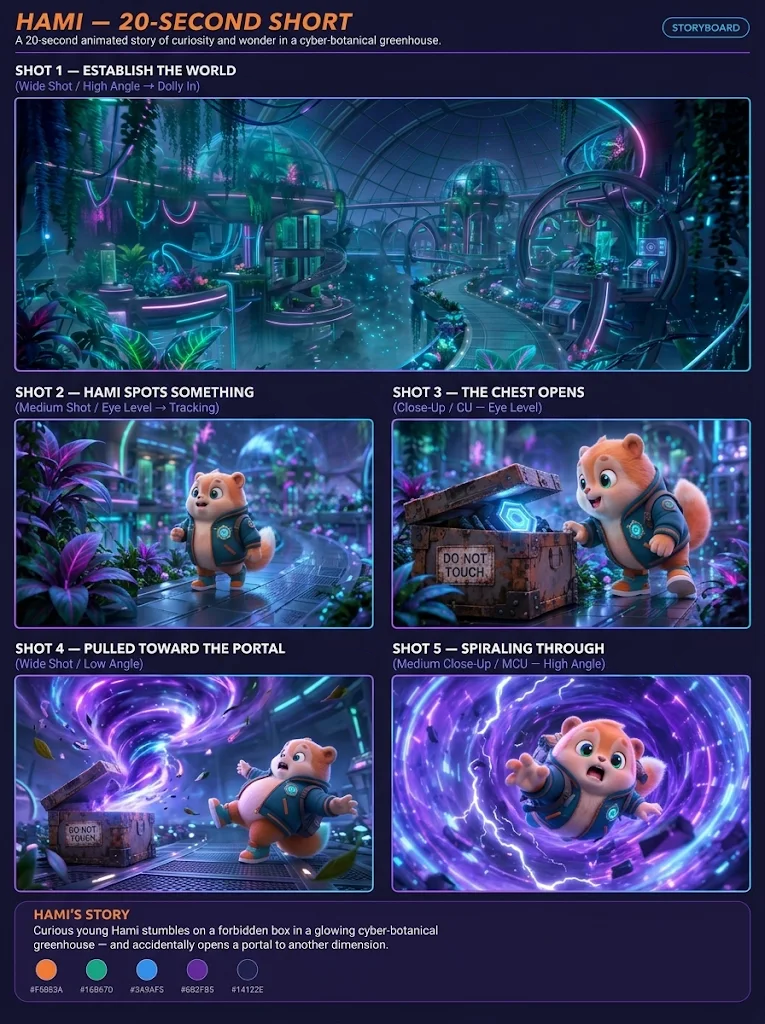
  • Concept: Created a 20-second animated short starring Hami the Hamster—an original bubbly, cheerful, quirky, and curious mascot with orange fur, bright green eyes, and a teal hooded outfit—who discovers a forbidden "DO NOT TOUCH" chest inside a glowing cyber-botanical greenhouse and accidentally triggers a dimensional portal.
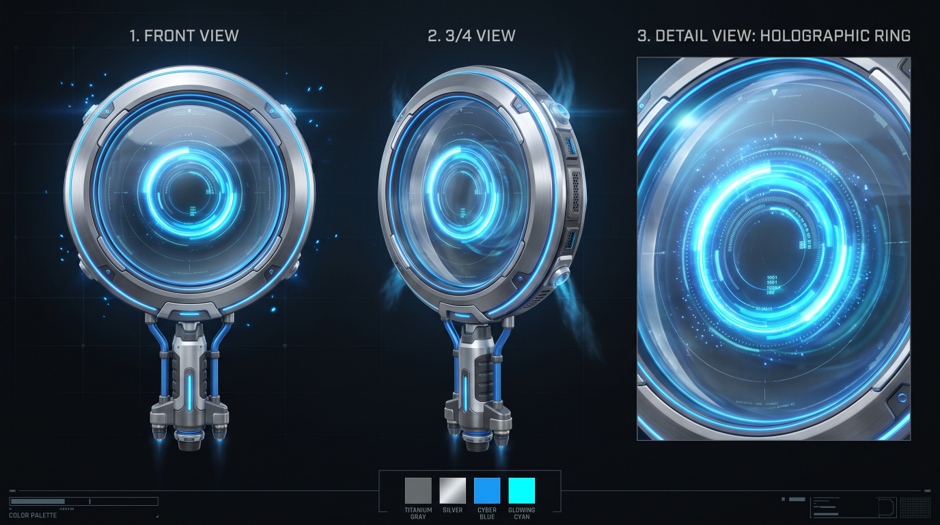
  • Process: Developed a structured pre-production pipeline in Google Gemini featuring a locked color palette, a 3-view holographic ring prop turnaround (Front, 3/4, and Detail views in titanium gray, silver, cyber blue, and glowing cyan), and a 5-shot storyboard (Establish the World, Hami Spots Something, The Chest Opens, Pulled Toward the Portal, and Spiraling Through), then generated Shots 1–5 individually from their reference images and assembled them on a timeline into one seamless short film.
  • Tools & Skills: Utilized Google Gemini and timeline video editing for mascot personality and look development, multi-angle prop design, cinematic shot planning (wide high-angle dolly-in, eye-level tracking, close-up, low-angle wide, and high-angle MCU), reference-guided video generation, and sequence assembly.
  • Outcome: Delivered a cohesive 20-second AI short film maintaining consistent character proportions, glowing cyber-botanical lighting, and smooth pacing from initial discovery to spiraling through the purple portal.
  • Reflection: Generating each shot sequentially from locked storyboard and prop reference sheets kept Hami visually consistent across shifting camera angles and proved how vital structured pre-production is for AI filmmaking; next time, I would refine motion transitions between shots and layer custom portal sound effects for greater cinematic punch.

Follow Me